What Does the Purple Circle Mean on Snapchat? (2026 Guide)
If you’ve noticed a purple circle around someone’s Bitmoji or Story on Snapchat, you might be wondering what it means. Snapchat uses different colors and icons to help users understand Stories, messages, and other activity in the app.
The purple circle is commonly associated with an unread Story. However, its meaning can depend on where it appears and how Snapchat displays the Story. Understanding the difference between a purple ring, a purple lock, and other Snapchat icons can help you avoid confusion.
If you want to explore Stories without using your regular Snapchat account, you can learn more about how to view Snapchat Story anonymously and understand the available viewing options.
What Does the Purple Circle Mean on Snapchat?
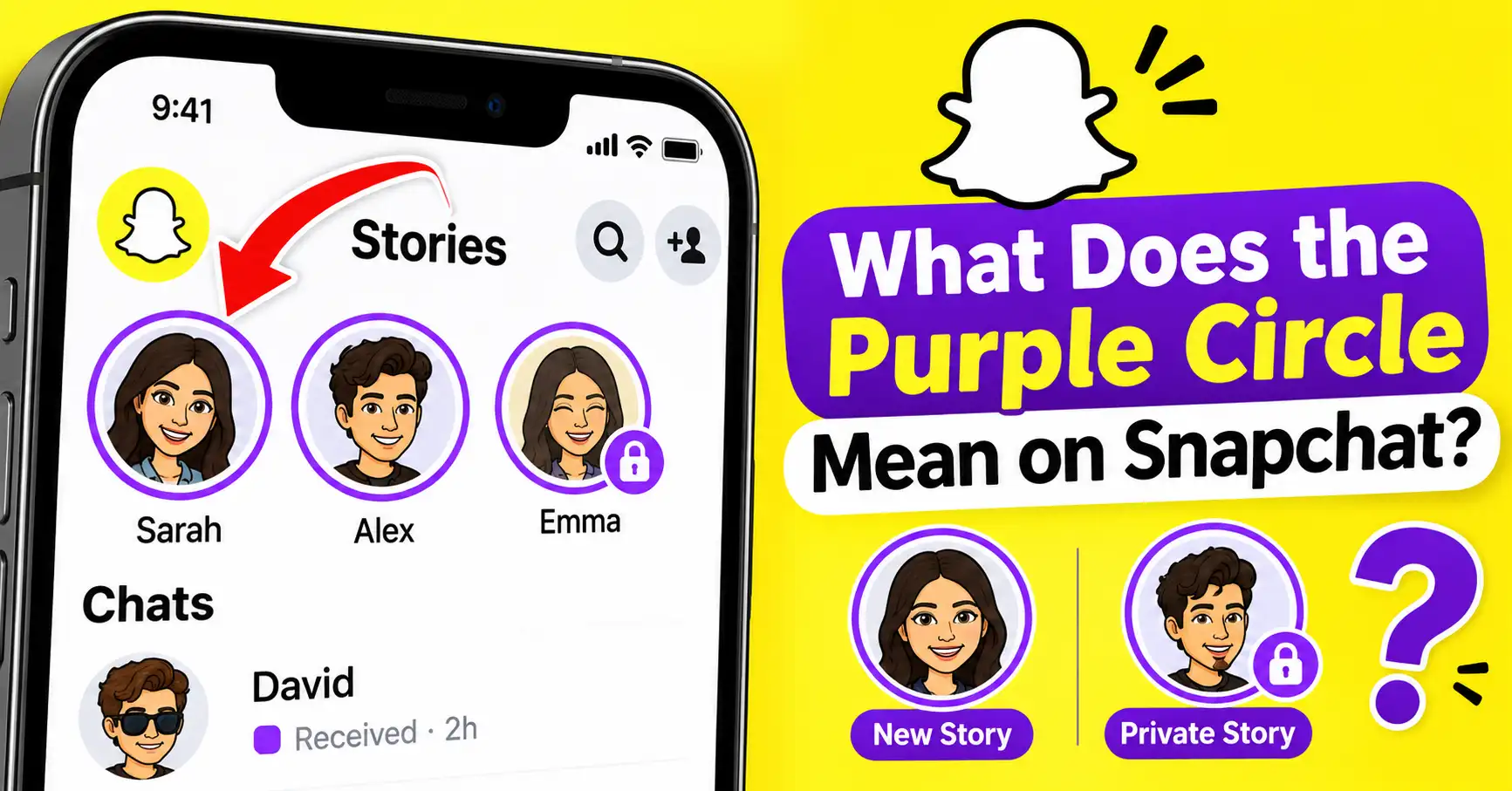
The purple circle around someone’s Bitmoji or profile picture generally means they have posted a new Story that you haven’t watched yet. It works as a visual reminder that there is new content available.
You may notice this circle on the Chat screen or Stories page. When you tap the person’s profile picture or Story preview, Snapchat opens their available Story.
After watching the Story, the circle may change to a gray appearance or disappear, depending on the screen and app version.
Snapchat’s official support documentation describes this feature as a circular preview that appears when a friend updates their Story. If there is no preview, you’ve caught up with their available Stories.
Why Does Snapchat Use a Purple Circle?
Snapchat uses different colors, shapes, and symbols to make its interface easier to understand. These visual indicators help users recognize new activity without opening every conversation.
The purple Story circle helps you identify content you haven’t viewed yet.
For example, when a friend uploads a photo or video to their Story, Snapchat displays a circular preview around their Bitmoji or profile picture. You can tap it to see what they shared.
Here are some common reasons you might notice a purple circle:
- A friend has uploaded a new Story.
- You haven’t watched their latest Story.
- Someone has shared content through a Story that is available to you.
- A Story is waiting for you in the Stories section.
Remember that the purple circle is primarily a Story indicator, not a sign of someone’s online status.
What Does the Purple Circle With a Lock Mean on Snapchat?
A purple circle with a small lock symbol has a different meaning from a regular Story ring.
It indicates a Private Story that you have permission to view. The person who created the Private Story selected a specific group of friends who can see it.
Unlike regular Stories, Private Stories allow users to share photos and videos with a smaller audience.
For example, someone might create a Private Story for close friends, family members, or a particular group. If you are included in that audience, you may see a lock symbol beside their Story.
Important: Being added to someone’s Private Story does not automatically mean you are their best friend or that they have a special interest in you. It simply means they included your account in their selected audience.
What Does the Purple Circle Mean Around Someone’s Bitmoji?
Sometimes, you may notice a purple circle around a friend’s Bitmoji instead of their regular profile picture.
This usually indicates that the person has shared a Story you haven’t watched.
The same indicator can appear in different areas of Snapchat, including:
1. Chat Screen
When you open the Chat screen, you may see a circular Story preview beside a friend’s name.
This means they have updated their Story. Tap the preview to watch their latest photos and videos.
2. Stories Page
The Stories page displays updates from friends and other accounts you follow.
A purple circle around someone’s profile picture generally indicates that their Story is available and hasn’t been viewed yet.
3. Friend’s Profile
You may also find a circular Story preview when opening someone’s Friendship Profile.
Tap the preview to watch their available Story. The exact appearance of the ring can vary depending on the Snapchat screen and app version.
Does the Purple Circle Mean Someone Is Online on Snapchat?
No. A purple circle does not necessarily mean someone is currently online or using Snapchat.
It is mainly associated with Story activity.
Snapchat has a separate feature called the Activity Indicator, which uses a green dot to show that someone has been active recently.
Here is the difference:
- Purple circle: Usually indicates an available Story you haven’t watched.
- Green dot: Indicates recent activity when the Activity Indicator is enabled.
- Purple lock: Indicates a Private Story that you can access.
These indicators serve different purposes, so it is important not to confuse them.
What Happens When You Watch a Story With a Purple Circle?
When you tap a friend’s purple Story circle, Snapchat opens their available Story.
After watching it, the appearance of the circle may change. In many versions of the app, the purple ring becomes gray or shows a replay option.
Here is what generally happens:
- You notice a purple circle around someone’s Bitmoji.
- You tap the circle to open their Story.
- You watch their uploaded photos or videos.
- Snapchat updates the Story’s viewing status.
- The purple ring may change to gray.
You can also replay a Story while it is still available.
Keep in mind that watching someone’s Story is not anonymous. The person who posted it can generally see your account in their Story viewer list.
What Is the Difference Between a Purple Circle and a Purple Square on Snapchat?
This is another common source of confusion.
Snapchat uses purple for more than one type of indicator. A purple circle and a purple square do not communicate the same thing.
| Snapchat Icon | Meaning |
|---|---|
| Purple circle | Usually an unwatched Story |
| Purple circle with lock | Accessible Private Story |
| Purple square | Received Snap containing audio |
| Purple arrow | Sent Snap containing audio |
| Gray Story circle | Story has generally been watched |
According to Snapchat’s official Chat Screen Icon Guide, purple message indicators are associated with Snaps that include audio.
Therefore, always check the shape and location of an icon before deciding what it means.
Why Is the Purple Circle Not Showing on Snapchat?
Sometimes, you may expect to see a purple circle around someone’s profile, but it is missing.
There are several possible explanations.
You Have Already Watched Their Story
If you have already watched their latest Story, Snapchat may remove the purple ring or display a different indicator.
Their Story Has Expired
Most regular Snapchat Stories are available for 24 hours. Once the available viewing period ends, the Story preview may disappear.
They Have Not Posted a New Story
If your friend hasn’t uploaded anything recently, there may be no new Story indicator to display.
Snapchat Is Experiencing a Temporary Glitch
Sometimes, the app may not update Story indicators correctly because of a temporary loading or synchronization issue.
Try closing and reopening Snapchat to refresh the screen.
How to Fix a Purple Circle That Is Not Updating
If you have already watched someone’s Story but the purple circle is still showing, try these simple troubleshooting steps.
1. Restart Snapchat
Close the app completely and open it again. This can help refresh Story previews.
2. Check Your Internet Connection
A weak internet connection may prevent Snapchat from loading the latest Story information.
3. Clear Snapchat Cache
Open Snapchat, tap your profile icon, select Settings, and find the Clear Cache option. Follow the instructions to clear temporary app files.
Clearing the cache does not delete your saved Memories, Snaps, or Chats.
4. Update Snapchat
Visit the Google Play Store or Apple App Store and check whether a newer Snapchat version is available.
5. Log Out and Log Back In
If the problem continues, signing out and signing back into your account may help refresh certain app information.
Can You Turn Off the Purple Circle on Snapchat?
Snapchat does not provide a general setting specifically for turning off purple Story rings.
However, you can mute someone’s Story if you no longer want their updates to appear prominently in your Stories feed.
To mute a friend’s Story:
- Open Snapchat and go to the Chat screen.
- Press and hold the friend’s name.
- Open Story Settings.
- Find the Mute Story option.
- Turn on the setting.
The exact menu options may vary depending on your Snapchat version.
Muting someone’s Story does not remove them from your friends list, and they are not normally notified that you muted their updates.
Frequently Asked Questions
Does a purple circle mean someone added me on Snapchat?
No. A purple circle generally indicates an available Story. It does not confirm that someone has added you as a friend.
Does the purple circle mean someone viewed my profile?
No. Snapchat does not use the purple Story ring as a profile-view notification.
Does a purple circle mean a Private Story?
Not necessarily. A regular purple circle generally indicates an available Story. A small lock symbol identifies a Private Story that you can access.
Can I watch a purple circle Story without being noticed?
No. If you watch someone’s regular Snapchat Story, your account can appear in their viewer list. A purple circle does not provide anonymous viewing.
Why does the purple circle disappear?
It may disappear after you watch the Story, when the Story expires, or when the person removes it.
Is the purple circle the same on iPhone and Android?
The basic purpose is similar on both platforms, but Snapchat’s interface and the appearance of Story indicators can vary depending on the device and app version.
Final Thoughts
The purple circle on Snapchat generally means someone has posted a Story that you haven’t watched yet. It helps you identify new updates from friends without opening every profile.
However, a purple circle with a lock indicates an accessible Private Story, while purple squares and arrows are related to Snaps containing audio.
The most important thing is to understand where the symbol appears and what shape it has. Snapchat regularly updates its interface, so the appearance of these indicators may change over time.