What Does Mute Story Mean on Snapchat?
Snapchat is designed to help people stay connected through Stories, Chats, and private snaps. But sometimes, you may want to stop seeing someone’s Story without unfriending or blocking them. That’s where the Mute Story feature comes in.
If you’ve ever wondered “What does Mute Story mean on Snapchat?”, you’re not alone. Many Snapchat users see this option but aren’t sure what actually happens after enabling it.
In this guide, you’ll learn exactly what Story Mute does, how it works, whether the other person knows, and when you should use it.
What Does Mute Story Mean on Snapchat?
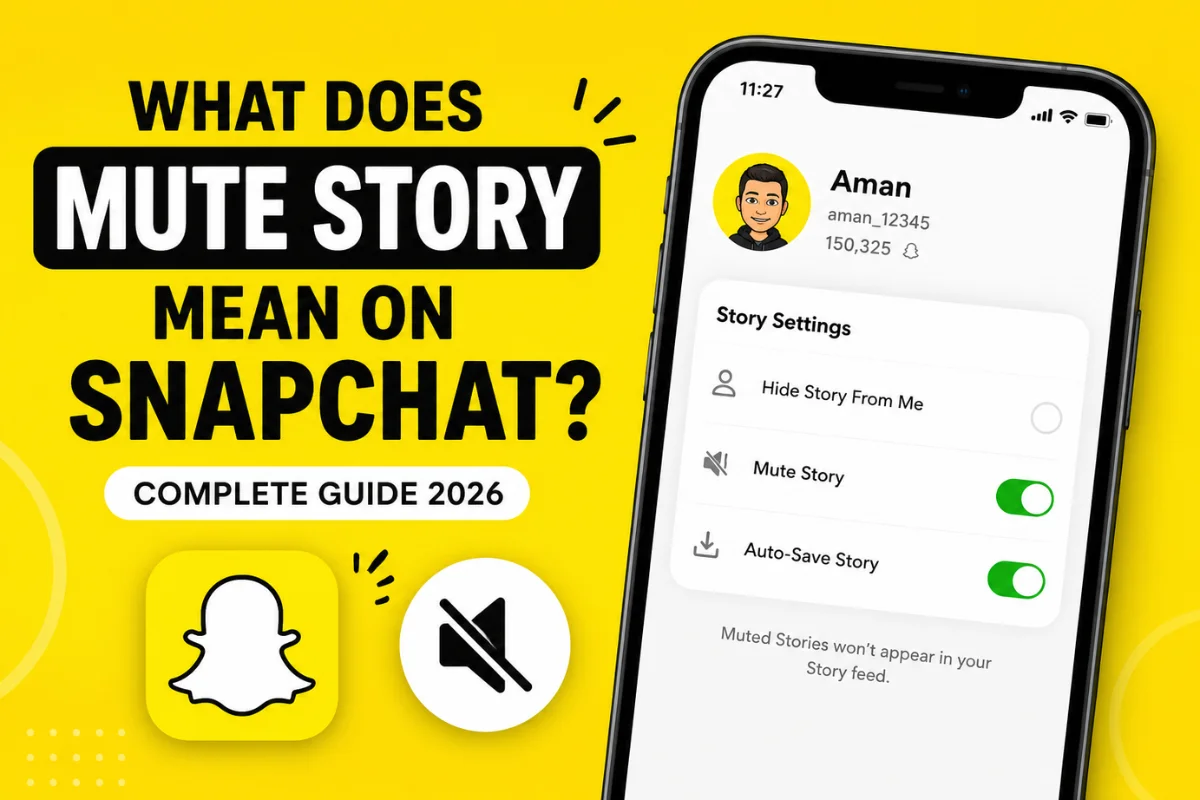
Muting a Story on Snapchat means you hide another person’s Stories from your Story feed without removing them as a friend or blocking them.
Once you mute someone’s Story:
- Their Stories won’t automatically appear in your Story list.
- You can still view them manually if you visit their profile.
- They remain on your friends list.
- You continue receiving chats and snaps normally.
Think of it as pressing the “pause” button on someone’s Stories rather than ending the friendship.
Why Do People Mute Stories on Snapchat?
There are plenty of reasons someone might mute another person’s Stories.
Some common situations include:
Too Many Story Posts
Some users upload dozens of Stories every day. Instead of seeing them constantly, muting keeps your Story feed cleaner.
Temporary Break
Maybe you simply need a break from someone’s content but still want to stay connected.
Avoiding Spoilers
Friends often post spoilers about TV shows, sports events, or vacations. Muting their Story helps you avoid unwanted surprises.
Less Clutter
Many users mute Stories to prioritize close friends and family while reducing distractions.
How Does Story Mute Work?
When you mute someone’s Story:
- Their Story moves out of your regular Story feed.
- Snapchat still keeps you connected.
- Chats and Snap streaks continue as usual.
- You can manually open their profile and watch their Story anytime.
The feature affects only your viewing experience.
Nothing changes for the other person.
Does Someone Know If You Mute Their Story?
No.
Snapchat does not notify users when you mute their Story.
They won’t receive:
- A notification
- A message
- An alert
- Any indication that you muted them
From their perspective, everything stays exactly the same.
This makes Story Mute a private feature designed for personal control.
How to Mute Someone’s Story on Snapchat
The process only takes a few seconds.
Method 1: From Their Profile
- Open Snapchat.
- Search for the friend.
- Open their profile.
- Tap the three-dot menu.
- Select Story Settings.
- Turn on Mute Story.
That’s it.
Their Stories will no longer appear in your Story feed.
Method 2: From the Story Feed
Depending on your Snapchat version:
- Press and hold the person’s Story.
- Open Story Settings.
- Select Mute Story.
Some interface options may vary slightly after Snapchat updates, but the feature remains available.
Can You Still View a Muted Story?
Yes.
Muting doesn’t remove access.
If you’re curious later, simply:
- Visit their profile.
- Open their current Story.
- Watch it normally.
Muting only hides Stories from your main feed.
What Happens After Muting Someone?
Here’s what changes and what stays the same.
| Action | Result |
| Story appears in feed | No |
| Can view Story manually | Yes |
| Chat works | Yes |
| Send Snaps | Yes |
| Snap Streak continues | Yes |
| Friend removed | No |
| Blocked | No |
| User notified | No |
As you can see, Story Mute only changes Story visibility.
Story Mute vs Block
Many people confuse these two options.
Mute Story
- Hides Stories only
- Friendship remains
- Chats continue
- No notification
- Easily reversible
Block
- Removes communication
- Prevents chats
- Stops Story viewing
- Removes friendship
- Much stronger action
If your goal is simply reducing someone’s Stories, muting is usually the better choice.
Story Mute vs Remove Friend
These features are also very different.
Muting
- Stay friends
- Continue chatting
- Keep Snap Streaks
- Hide Stories
Removing a Friend
- Ends the friendship
- Limits interactions
- May affect visibility depending on privacy settings
Muting is far less dramatic than removing someone.
Can You Mute Multiple People?
Yes.
Snapchat doesn’t limit how many Stories you can mute.
Many users mute:
- Brands
- Influencers
- Classmates
- Coworkers
- Casual friends
Your Story feed becomes more focused on the people you interact with most.
Can You Unmute Someone Later?
Absolutely.
If you decide you want to see their Stories again:
- Open their profile.
- Tap Story Settings.
- Turn off Story Mute.
Their Stories will start appearing in your feed again whenever they post.
Does Muting Affect Snap Streaks?
No.
Story Mute has zero effect on Snap Streaks.
Your streak continues as long as both people keep sending Snaps within the required time.
Stories and Snap Streaks are completely separate features.
Does Muting Affect Chats?
No.
You’ll still receive:
- Messages
- Snaps
- Calls
- Video calls
- Notifications
Only Stories are hidden.
Everything else works exactly the same.
Does Muting Affect Story Views?
If you never open their Story, your username won’t appear in their Story viewers list.
However, if you manually watch their Story after muting them, they’ll still see that you viewed it.
Muting doesn’t hide your identity when you choose to watch.
Is Story Mute Different From Notification Mute?
Yes.
These are two separate settings.
Story Mute
Hides Story content.
Notification Mute
Stops notifications for chats, calls, or messages.
You can enable one without affecting the other.
Who Should Use Story Mute?
Story Mute is useful for almost anyone.
Examples include:
- Friends who post too frequently
- Business accounts
- Influencers
- School classmates
- Former coworkers
- Event-heavy accounts
Instead of unfriending them, you simply reduce the amount of content you see.
Benefits of Muting Stories
Using Story Mute has several advantages.
Cleaner Feed
You’ll mainly see Stories from people you care about most.
Less Distraction
Your Story section becomes easier to browse.
No Awkward Conversations
Since Snapchat doesn’t notify anyone, there’s no risk of hurting someone’s feelings.
Better Privacy
You choose what appears in your feed without changing your relationships.
Are There Any Downsides?
Story Mute is generally helpful, but there are a few things to keep in mind.
You might:
- Miss important announcements.
- Forget someone posted something.
- Overlook invitations shared only through Stories.
If you mute close friends, consider checking their profile occasionally.
Frequently Asked Questions
Does muting someone’s Story remove them as a friend?
No. You stay friends, and all other Snapchat features continue working.
Can someone tell if I muted their Story?
No. Snapchat doesn’t send notifications when you mute or unmute someone’s Story.
Can I still message someone after muting them?
Yes. Chats, Snaps, and calls work exactly the same.
Can I unmute someone anytime?
Yes. You can turn Story Mute off whenever you want.
Does muting affect Snap score or streaks?
No. Story Mute has no impact on Snap Score, Snap Streaks, or friendships.
Final Thoughts
The Mute Story feature on Snapchat gives users greater control over what appears in their Story feed without affecting friendships or conversations.
Instead of removing or blocking someone, you can simply hide their Stories while continuing to chat, exchange Snaps, and maintain Snap Streaks. It’s a simple yet useful feature for reducing clutter, avoiding excessive Story posts, or taking a break from certain content.
If you’re looking for a more personalized Snapchat experience, Story Mute is one of the easiest privacy-friendly tools available. Best of all, it’s completely private, so the other person never knows you’ve muted their Stories.