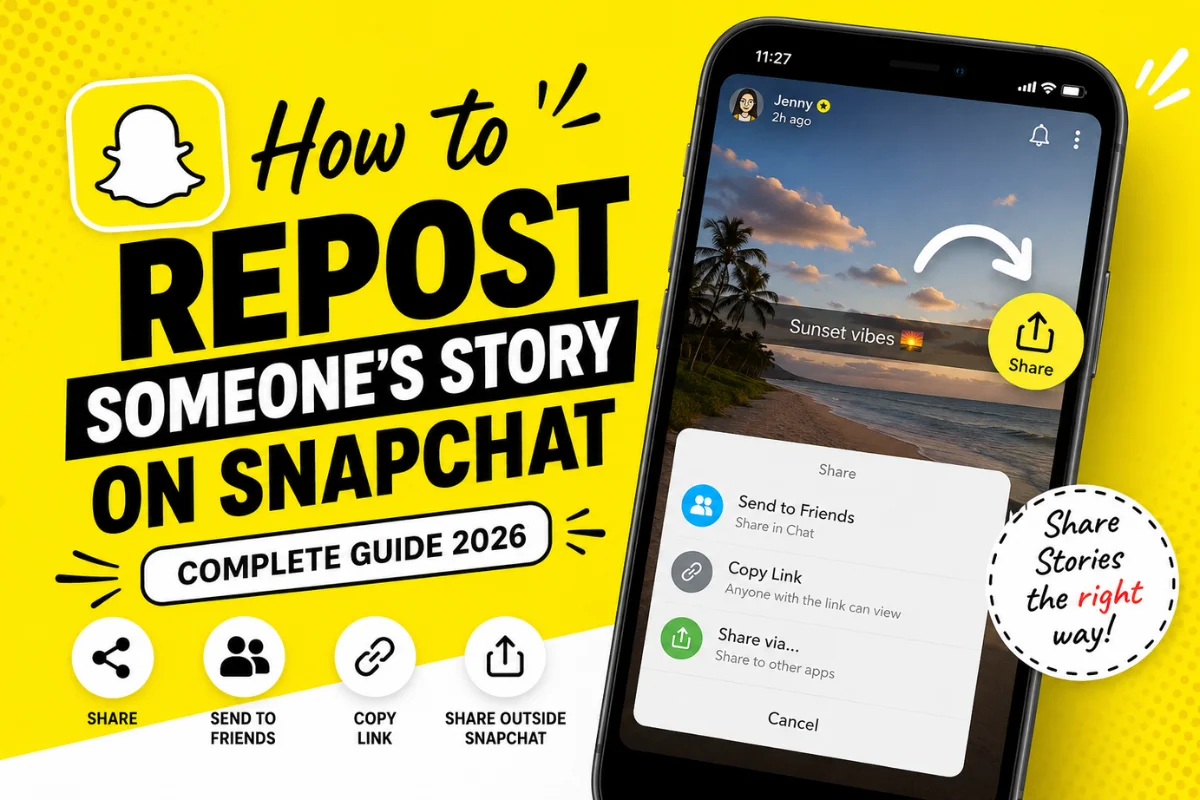
How to Repost Someone’s Story on Snapchat?
Have you seen a friend’s Snapchat Story that you wanted to share with others? Many users search for ways to repost Stories on Snapchat, expecting a feature similar to Instagram or Facebook.
The reality is a little different.
Snapchat focuses heavily on privacy. Unlike many social media platforms, it doesn’t offer a universal “Repost Story” button for private Stories. However, there are several legitimate ways to share public content or recommend a Story without violating Snapchat’s privacy rules.
This guide explains exactly what is possible, what isn’t, and the safest ways to share Snapchat Stories in 2026.
Can You Repost Someone’s Story on Snapchat?
The short answer is yes—but only in certain situations.
Whether you can repost a Snapchat Story depends on the type of Story.
Here’s a quick overview.
| Story Type | Can You Repost It? |
| Friend’s Private Story | ❌ No |
| Friend’s Regular Story | ❌ No direct repost |
| Public Story | ✅ Share using the Share option (if enabled) |
| Spotlight Video | ✅ Share or send to friends |
| Your Own Story | ✅ Repost anytime |
If someone has shared a Public Story and enabled sharing, Snapchat allows you to send or share that Story with others.
Private Stories remain private and cannot be reposted directly.
Why Doesn’t Snapchat Allow Story Reposts?
Snapchat was built around private communication.
Unlike other social platforms, Snapchat gives users more control over who sees their content.
Because of this privacy-first approach:
- Friends’ Stories cannot be copied to your Story.
- Story creators control who can view their content.
- Screenshots notify the creator.
- Public creators choose whether sharing is allowed.
These privacy features help protect users from unauthorized sharing.
How to Share a Public Snapchat Story
If the creator has made their Story public and enabled sharing, you can easily send it to others.
Step 1: Open Snapchat
Launch the Snapchat app and sign in if needed.
Step 2: Find the Public Story
Go to:
- Stories
- Discover
- Public Profiles
Open the Story you want to share.
Step 3: Tap the Share Button
Look for the Share icon.
If sharing is enabled, you’ll see several options.
You may be able to:
- Send to friends
- Copy the Story link
- Share through other apps
- Share via Messages
If you don’t see the Share button, the creator has likely disabled sharing.
Step 4: Choose Where to Share
Select your preferred option.
For example:
- Send to Snapchat friends
- Copy the Story URL
- Share on another supported platform
The original creator remains credited.
How to Share Someone’s Story with Your Snapchat Friends
Even when reposting isn’t available, you can still recommend a Story.
Here’s how:
Open the Story
Find the Story from your friend or creator.
Tap Share
If available, tap the Share icon.
Select Friends
Choose one or more Snapchat friends.
Send
Your friends receive the Story directly in chat.
This is often the easiest way to share content without reposting it publicly.
Can You Add Someone Else’s Story to Your Own Story?
No.
Snapchat currently does not let users post another person’s Story onto their own Story.
This feature simply doesn’t exist for private Stories.
If you want to recommend someone’s content, you should:
- Share their Public Profile
- Send the Story link
- Mention their username (with permission)
- Ask them to collaborate
How to Repost Your Own Snapchat Story
Reposting your own Story is simple.
Open Your Profile
Tap your Bitmoji in the top-left corner.
Open My Story
Locate your active Story.
Select the Snap
Choose the Snap you want to repost.
Save or Share Again
You can:
- Save it to Memories
- Download it
- Add it to a new Story
- Send it to friends
This is useful if your Story expired and you want to post it again.
How to Share a Spotlight Video
Spotlight videos work differently from private Stories.
Many Spotlight posts include sharing options.
To share one:
- Open Spotlight.
- Find the video.
- Tap Share.
- Choose Snapchat friends or another supported app.
This is one of the easiest types of Snapchat content to share.
Can You Screen Record Someone’s Story?
Technically, yes.
However, Snapchat usually notifies the creator when someone takes:
- A screenshot
- A screen recording (on supported devices)
Always respect other people’s privacy before recording or sharing their content.
Never repost someone else’s content without permission.
What Happens If the Share Button Is Missing?
Sometimes users cannot find the Share option.
This usually happens because:
The Story Is Private
Private Stories cannot be shared.
Sharing Is Disabled
The creator has turned off sharing.
The Story Has Expired
Stories disappear after 24 hours.
App Needs Updating
Older versions of Snapchat may not display the latest sharing features.
Updating the app often fixes minor issues.
How to Update Snapchat
If features appear missing, update Snapchat first.
On Android
- Open Google Play Store.
- Search Snapchat.
- Tap Update.
On iPhone
- Open the App Store.
- Search Snapchat.
- Tap Update.
Running the latest version ensures access to new Snapchat features.
Best Alternatives to Reposting a Story
Since Snapchat doesn’t support universal Story reposting, here are better alternatives.
Send the Story Directly
Use the Share feature to send it privately.
Copy the Public Story Link
If available, copy the Story URL and send it elsewhere.
Ask for Permission
The creator may send you the original photo or video.
You can then repost it with proper credit.
Mention the Creator
Instead of reposting, tell friends to check out the creator’s profile.
This supports the original creator while respecting Snapchat’s privacy rules.
Common Mistakes to Avoid
Many websites recommend methods that no longer work.
Avoid these mistakes:
Using Fake Repost Apps
Third-party apps often:
- Violate Snapchat’s Terms of Service
- Risk account suspension
- Collect personal information
Always use the official Snapchat app.
Uploading Someone Else’s Story Without Permission
Even if you screen record a Story, reposting it publicly without permission can violate copyright or privacy expectations.
Always ask first.
Believing Outdated Tutorials
Snapchat updates its interface frequently.
Many older tutorials show buttons that no longer exist.
Always verify information using the latest version of the app.
Frequently Asked Questions
Can I repost someone’s private Snapchat Story?
No.
Private Stories cannot be reposted or added to your own Story.
Can I share a public Story?
Yes.
If the creator enables sharing, you can send it to friends or copy the public link.
Will Snapchat notify screenshots?
Usually, yes.
Creators are typically notified when someone takes a screenshot or screen recording of their Story.
Can I repost a Spotlight video?
Yes.
Most Spotlight videos include built-in sharing options.
Is there a repost button like Instagram?
No.
Snapchat does not currently have a universal repost feature for Stories.
Final Thoughts
Snapchat continues to prioritize user privacy over public content sharing. While there isn’t a built-in option to repost another person’s private Story to your own Story, you can still share Public Stories, Spotlight videos, and Story links when the creator allows it.
If your goal is to support a creator, use Snapchat’s official sharing tools instead of third-party apps or unauthorized screen recordings. This keeps your account safe, respects the creator’s privacy, and ensures you’re using the platform as intended.
As Snapchat evolves, sharing features may expand, but for now, understanding the difference between private and public content is the key to knowing what you can and cannot repost.