How to See Who Replayed Your Snapchat Story?
Have you ever noticed the Story Rewatch Indicator on Snapchat and wondered who replayed your Story? You’re not alone. Many Snapchat users want to know whether someone watched their Story more than once, especially if they are curious about engagement or interested in a particular viewer.
The short answer is you cannot see exactly who replayed your Snapchat Story. Snapchat only tells eligible users that at least one friend rewatched the Story. It does not reveal the person’s identity.
In this guide, you’ll learn how the Story Rewatch Indicator works, who can access it, what Snapchat lets you see, and some common myths you should avoid.
Can You See Who Replayed Your Snapchat Story?
No.
Snapchat does not show the names of people who replayed your Story. Even if someone watches your Story multiple times, their identity remains private.
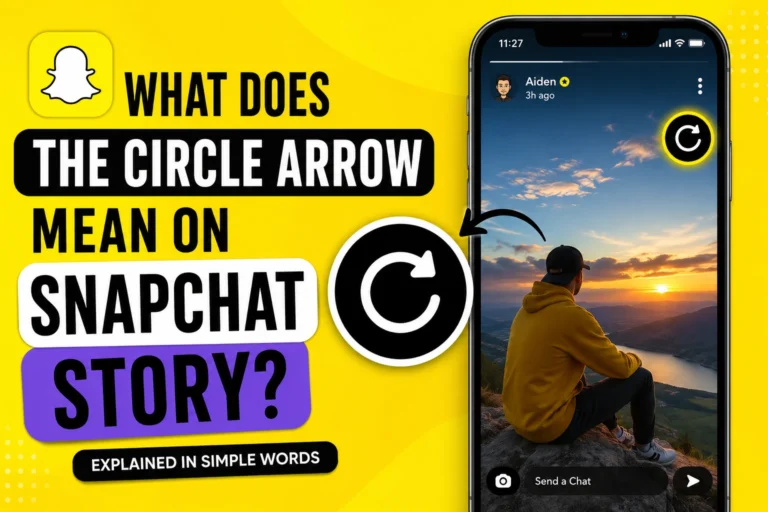
Instead, Snapchat offers a feature called the Story Rewatch Indicator. This feature simply tells you that one or more people replayed your Story.
This privacy-first approach helps prevent awkward situations while still giving creators an idea of how engaging their content is.
What Is the Story Rewatch Indicator?
The Story Rewatch Indicator is a Snapchat feature available for eligible Snapchat+ subscribers.
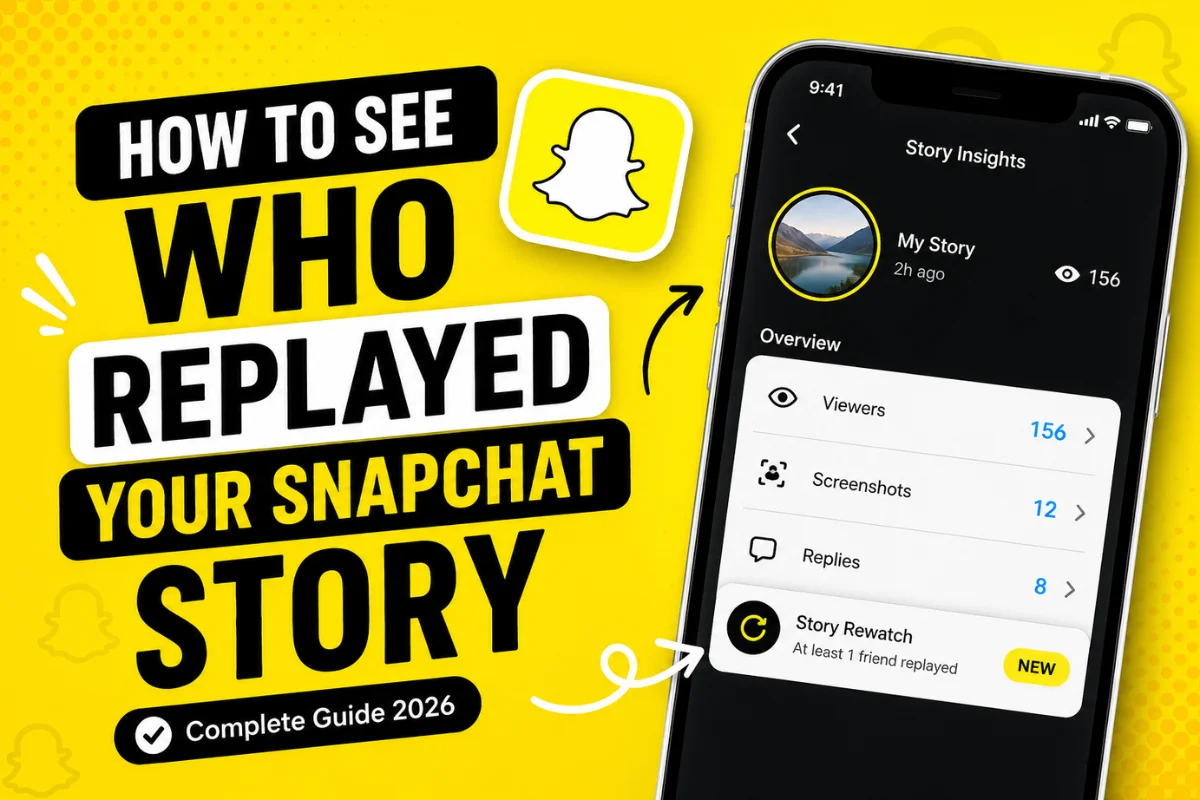
Rather than identifying individual viewers, it displays a small emoji or icon next to your Story insights that indicates your Story received at least one replay.
Think of it as an engagement signal instead of a viewer tracker.
It answers this question:
“Did someone watch my Story again?”
It does not answer:
- Who replayed it
- How many people replayed it
- How many times it was replayed
Who Can Use the Story Rewatch Indicator?
Currently, the feature is generally available through Snapchat+, Snapchat’s premium subscription.
If you are using the free version of Snapchat, you may not see this feature at all.
Even with Snapchat+, feature availability may vary depending on:
- Your region
- App version
- Ongoing Snapchat testing
- Device compatibility
Keeping the app updated ensures you receive the newest Snapchat features as they roll out.
How to Check If Your Story Was Replayed
If your account supports Story Rewatch, follow these simple steps.
Step 1: Open Snapchat
Launch the Snapchat app on your Android or iPhone.
Step 2: Tap Your Profile
Select your Bitmoji or profile icon in the top-left corner.
Step 3: Open Your Story
Tap on your active Story.
Step 4: View Story Insights
Swipe up while viewing your Story.
Here you can normally see:
- Story viewers
- Screenshot count
- Replies
- Story interactions
If your account supports Story Rewatch, you’ll also notice the replay indicator.
Step 5: Look for the Rewatch Indicator
If Snapchat detected a replay, you’ll see the Story Rewatch icon.
Remember, the icon only confirms that someone watched the Story again.
It does not reveal who.
Why Doesn’t Snapchat Show Who Replayed Your Story?
Privacy is one of Snapchat’s biggest priorities.
If users knew exactly who replayed every Story, many people might feel uncomfortable using the platform naturally.
By hiding replay identities, Snapchat encourages users to:
- Rewatch interesting Stories freely
- Avoid social pressure
- Maintain private viewing habits
- Enjoy content naturally
This balance gives creators useful engagement insights without exposing viewers.
What Information Can You Actually See?
Snapchat provides several useful Story insights.
These include:
Story Viewers
You can see who viewed your Story before it expires.
Screenshot Notifications
If someone screenshots your Story, Snapchat notifies you.
Story Replies
Friends who reply to your Story appear in your chats.
Viewer Count
You can see how many total people viewed the Story.
Story Rewatch Indicator
Eligible Snapchat+ users can tell whether the Story received a replay.
Again, no names are provided.
Can You See How Many Times Someone Replayed Your Story?
No.
Snapchat does not provide replay counts for individual users.
For example, if your best friend watches your Story five times, Snapchat won’t tell you.
Similarly, if ten different people replay it once, Snapchat won’t reveal that either.
The platform keeps replay information intentionally limited.
Can Someone Tell If You Replay Their Story?
No.
If you replay someone else’s Story, they cannot see that you specifically replayed it.
The creator may only receive a general replay indicator if they have access to that feature.
Your identity remains private.
Common Myths About Snapchat Story Replays
Many websites and videos spread misinformation about Story replays.
Let’s clear up some of the biggest myths.
Myth 1: Viewer Order Shows Who Replayed
False.
Snapchat has never confirmed that viewer order changes because someone replayed your Story.
Viewer lists are influenced by several factors and should not be used to identify replays.
Myth 2: Third-Party Apps Can Reveal Replays
False.
No trusted third-party app can show who replayed your Snapchat Story.
Apps making this claim often:
- Violate Snapchat’s Terms of Service
- Request your login credentials
- Risk account suspension
- Compromise your privacy
Always avoid giving your Snapchat password to unofficial services.
Myth 3: Snapchat Support Can Tell You
False.
Snapchat Support cannot reveal replay identities to users.
This information simply isn’t shared.
Why Do People Replay Snapchat Stories?
People replay Stories for many reasons.
Sometimes they:
- Missed important information
- Wanted another look at a photo
- Rewatched a funny moment
- Read text more carefully
- Shared the Story with friends
- Enjoyed the content
A replay doesn’t automatically mean someone is interested in you personally.
Often, it’s simply because the content was engaging.
Tips to Get More Story Replays
If your goal is to create Stories people want to watch again, focus on quality content.
Here are a few proven ideas.
Share Short Stories
Keep each snap easy to watch.
Long Stories often lose attention.
Add Interesting Captions
Simple captions encourage viewers to pause and read.
Use Creative Photos
High-quality images naturally attract repeat views.
Tell a Story
Instead of random snaps, create a beginning, middle, and end.
This keeps viewers engaged.
Post Behind-the-Scenes Content
Exclusive moments often encourage friends to watch again.
Use Interactive Stickers
Questions, polls, and creative stickers increase engagement.
Is Snapchat Planning to Show Replay Names?
As of 2026, Snapchat has not announced any plans to reveal who replayed Stories.
The company continues emphasizing user privacy while introducing new engagement features through Snapchat+.
If future updates change this, users will likely learn about it through official Snapchat announcements.
Frequently Asked Questions
Can I see who replayed my Snapchat Story?
No. Snapchat does not reveal the identity of users who replay your Story.
Is Story Rewatch available for everyone?
No. The feature is generally available for eligible Snapchat+ subscribers and may vary by region or app version.
Does replaying a Story send a notification?
No. Snapchat does not notify creators when a specific person replays their Story.
Can third-party apps reveal Story replays?
No. Any app claiming to do so is unreliable and may put your account at risk.
Does viewer order mean someone replayed my Story?
No. Snapchat has never confirmed that viewer order indicates Story replays.
Can I replay someone else’s Story?
Yes, if the Story is still available. The creator won’t know that you specifically replayed it.
Final Thoughts
If you’re wondering how to see who replayed your Snapchat Story, the answer is straightforward: you can’t identify the specific person.
Snapchat’s Story Rewatch Indicator simply lets eligible Snapchat+ users know that at least one replay occurred. It does not reveal names, replay counts, or individual viewing behavior.
Instead of focusing on who replayed your Story, use the available insights—such as views, replies, screenshots, and overall engagement—to understand how your content is performing. As Snapchat continues to evolve, privacy remains a core part of the platform, making replay identities intentionally unavailable.