How to Make a Private Story on Snapchat?
Snapchat is known for giving users more control over who can see their content. While regular Stories are great for sharing moments with all your friends, sometimes you only want a small group of people to see certain photos or videos. That’s where a Private Story comes in.
A Private Story allows you to choose exactly who can view your Story. Whether you’re sharing family moments, planning a surprise, posting inside jokes, or simply keeping your updates personal, this feature makes it easy to stay in control.
In this guide, you’ll learn how to make a Private Story on Snapchat, who can view it, how to edit it later, common problems, and answers to frequently asked questions.
What Is a Private Story on Snapchat?
A Private Story is a special Snapchat Story that only selected friends can view.
Unlike your normal Story, which is visible according to your privacy settings, a Private Story is shared only with the people you personally choose.
The selected friends will know they’re viewing your Private Story because it appears with a small lock icon.
This feature is useful when you want to:
- Share personal updates with close friends.
- Post family memories.
- Share travel plans with specific people.
- Keep certain moments away from your full friend list.
Why Use a Private Story?
Many Snapchat users create Private Stories every day because they offer better privacy.
Some common reasons include:
- Sharing funny moments with your best friends.
- Posting behind-the-scenes content.
- Creating Stories for family members.
- Planning birthdays or surprise events.
- Keeping your public Story separate from personal updates.
Instead of sending multiple Snaps individually, you can post once and let only selected people view it.
How to Make a Private Story on Snapchat
Creating a Private Story only takes a few minutes.
Step 1: Open Snapchat
Launch the Snapchat app on your Android or iPhone.
Make sure you’re logged into your account.
Step 2: Go to Your Profile
Tap your Bitmoji or profile icon in the top-left corner.
This opens your Profile page.
Step 3: Find “My Stories”
Scroll until you see the My Stories section.
Tap + New Story.
Step 4: Select “Private Story”
Snapchat will show different Story options.
Choose Private Story.
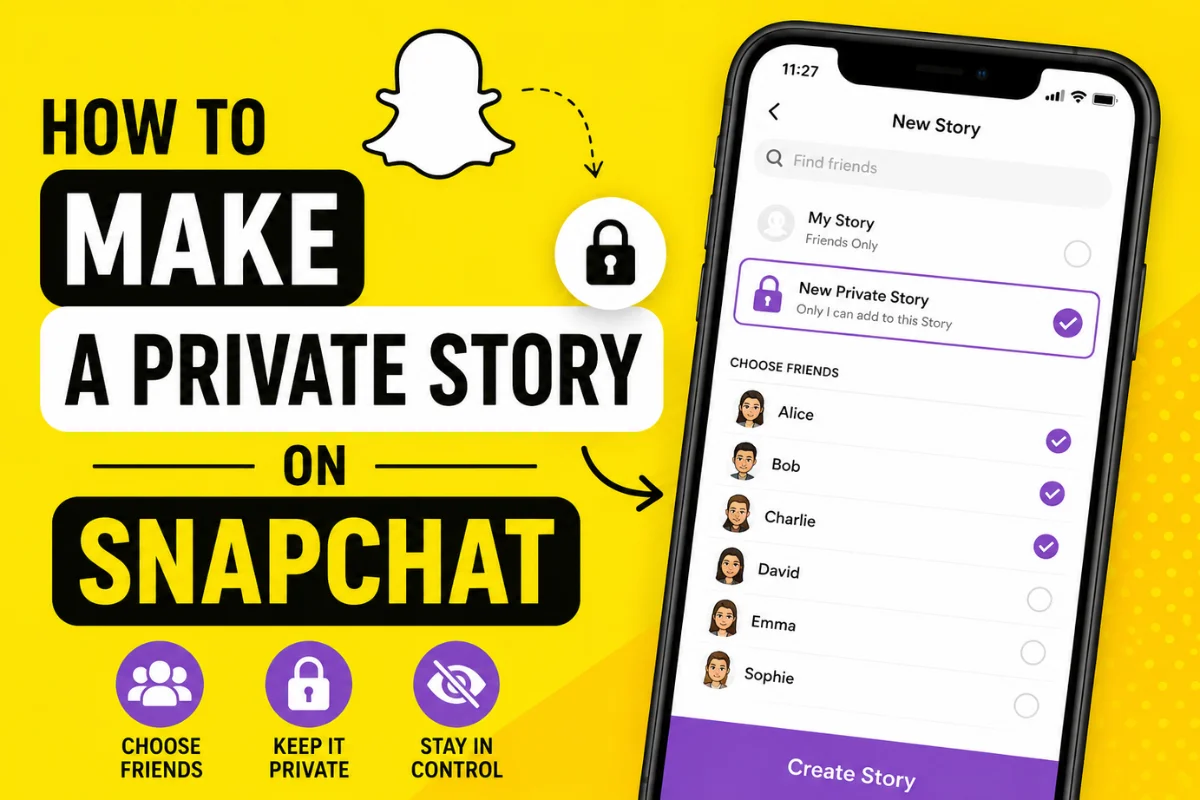
Step 5: Choose Your Friends
A list of your Snapchat friends will appear.
Select everyone who should be able to view your Private Story.
You can choose just one friend or dozens of them.
Only the people you select will have access.
Step 6: Name Your Private Story
Tap Create Story.
Give it a custom name.
For example:
- Close Friends
- Family Only
- Weekend Crew
- Travel Updates
- Besties
Choosing a recognizable name helps you stay organized if you create multiple Stories.
Step 7: Add Photos or Videos
Open your camera.
Capture a Snap or upload one from Memories.
Tap Send To.
Choose your Private Story.
Your selected friends can now see your Story.
How to Add More People Later
You can always change who has access.
Here’s how:
- Open your Profile.
- Find your Private Story.
- Tap the three-dot menu.
- Choose View Story Settings.
- Add or remove friends.
The changes apply immediately.
How to Remove Someone from a Private Story
If you no longer want someone viewing your Story, simply remove them.
Steps:
- Open your Profile.
- Tap your Private Story.
- Open Story Settings.
- Uncheck the person’s name.
- Save the changes.
They won’t receive a notification that they’ve been removed.
Can Someone Tell They’re in Your Private Story?
Yes.
People included in your Private Story will notice a small lock icon beside your Story.
However, they cannot see who else has been added.
Your friend list remains private.
Can Others Join Your Private Story?
No.
Only you decide who joins.
Friends cannot request access.
They also cannot add themselves to your Private Story.
Can You Have Multiple Private Stories?
Yes.
Snapchat allows users to create multiple Private Stories.
This is useful if you want separate Stories for different groups.
For example:
- Family
- College Friends
- Work Friends
- Travel Partners
Each Story has its own audience.
How to Delete a Private Story
If you no longer need a Story, deleting it is simple.
Follow these steps:
- Open your Profile.
- Locate your Private Story.
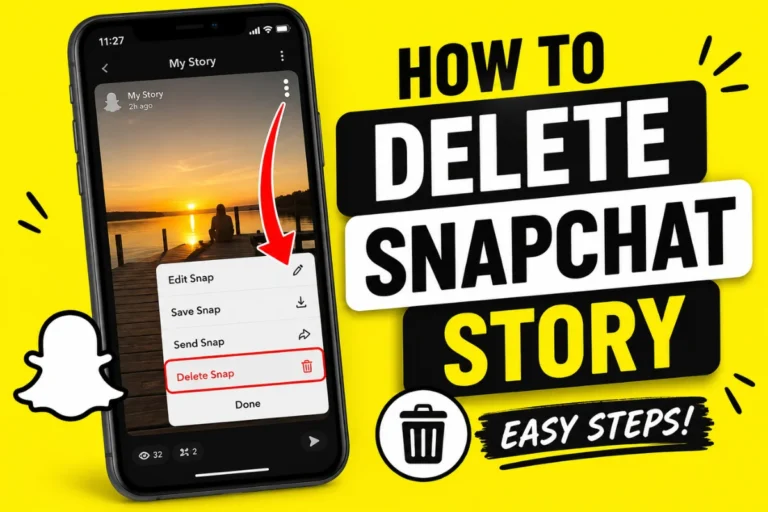
- Tap the three-dot menu.
- Select Delete Story.
- Confirm your choice.
This permanently removes the Story.
Difference Between Public Story and Private Story
| Feature | Public/Regular Story | Private Story |
| Visible to everyone allowed by privacy settings | Yes | No |
| Choose viewers manually | No | Yes |
| Lock icon appears | No | Yes |
| Best for personal sharing | No | Yes |
| Multiple Stories supported | Limited | Yes |
Private Story vs Custom Story
Many people confuse these two features.
Private Story
- Only selected friends can view.
- Only you can post.
- Best for personal sharing.
Custom Story
- Multiple invited friends can contribute.
- Everyone invited may add Snaps.
- Ideal for events, trips, or parties.
Understanding the difference helps you choose the right option.
Tips for Using Private Stories
Here are a few ways to get the most out of the feature.
Keep your audience small
Adding only close friends keeps your Story more personal.
Rename your Stories
Unique names help you identify different Story groups.
Review your viewers regularly
People change over time.
It’s a good idea to update your audience occasionally.
Avoid oversharing
Even though your Story is private, remember that viewers can still take screenshots.
Share thoughtfully.
Common Problems and Solutions
Private Story option isn’t showing
Update Snapchat to the latest version.
Older app versions may not include the newest features.
Friends can’t see your Story
Check whether:
- They’re still selected.
- They’re still your Snapchat friend.
- Your Story uploaded successfully.
- Their app is updated.
Story won’t upload
Try these quick fixes:
- Restart Snapchat.
- Check your internet connection.
- Clear Snapchat cache.
- Restart your phone.
- Update the app.
Latest Snapchat Updates That Affect Private Stories
Snapchat continues improving privacy tools and Story management.
Recent updates have focused on:
- Better Story organization.
- Improved audience controls.
- Easier Story management.
- Faster Story uploads.
- Enhanced privacy settings across the app.
While the process of creating a Private Story remains largely the same, newer versions make it easier to manage multiple Stories and control who sees your content.
Keeping Snapchat updated ensures you always have access to the latest privacy features.
Best Practices for Private Stories
To enjoy the best experience:
- Only include people you trust.
- Keep your friend list updated.
- Use clear Story names.
- Review Story settings regularly.
- Update Snapchat whenever a new version becomes available.
These habits help keep your personal content secure.
Frequently Asked Questions
Does Snapchat notify someone when they’re added to a Private Story?
No. Snapchat does not send a notification when someone is added.
Can someone share my Private Story?
They cannot repost it directly, but they may take screenshots or record the screen.
Always share responsibly.
Can I change the name of my Private Story?
Yes.
Open Story Settings and edit the Story name whenever you like.
How many Private Stories can I create?
Snapchat allows multiple Private Stories, making it easy to organize different groups of friends.
Can I leave someone out without them knowing?
Yes.
People who are not selected simply won’t see the Story.
They won’t receive a notification.
Is a Private Story completely private?
It is private within Snapchat because only selected friends can view it.
However, viewers can still capture screenshots or screen recordings, so avoid sharing highly sensitive information.
Final Thoughts
Creating a Private Story on Snapchat is one of the easiest ways to share personal moments while keeping full control over your audience. Instead of posting everything to your regular Story, you can choose exactly who gets to see specific updates.
Whether you’re sharing family memories, vacation photos, funny videos, or everyday moments with close friends, Private Stories offer a simple and effective way to protect your privacy without sacrificing the fun of Snapchat.
If you regularly use Snapchat, taking advantage of Private Stories is one of the best ways to keep your content organized, personal, and shared only with the people who matter most.